
Download THX Spatial Audio Control – Free, Secure, and Powerful Audio Enhancement Tool for Windows, Mac, iOS & Android
Experience cinematic sound quality with THX Spatial Audio Control, a cutting-edge audio software designed to elevate your listening experience across all devices. Whether you're gaming, streaming movies, or enjoying music, this app delivers immersive, lifelike spatial audio that places you right in the middle of the action. Compatible with any brand of headphones, THX Spatial Audio Control lets you fine-tune EQ settings, adjust spatialization modes, and calibrate audio for optimal performance.
Available for Windows 10, Windows 11, Mac, iOS, and Android, this free tool ensures your audio setup is always optimized. With regular updates and a secure download process, it’s a trusted choice for both casual users and audio enthusiasts. Download now and unlock the full potential of your headphones.
Enhanced Audio Immersion with Customizable Spatialization and EQ Profiles
One of the standout features of THX Spatial Audio Control is its ability to deliver true 3D audio immersion. Unlike standard stereo sound, this software uses advanced algorithms to simulate how sound behaves in real-world environments. This means when you're playing a game or watching a movie, you can hear footsteps approaching from behind, or a plane flying overhead with remarkable precision.
The app supports multiple spatialization modes—such as Head Tracking, Open Air, and Theater Mode—each tailored for different use cases. For gamers, Head Tracking ensures your audio shifts in real-time as you move your head, giving you a competitive edge. For movie lovers, Theater Mode replicates the surround sound of a cinema, making every scene more dramatic and engaging.
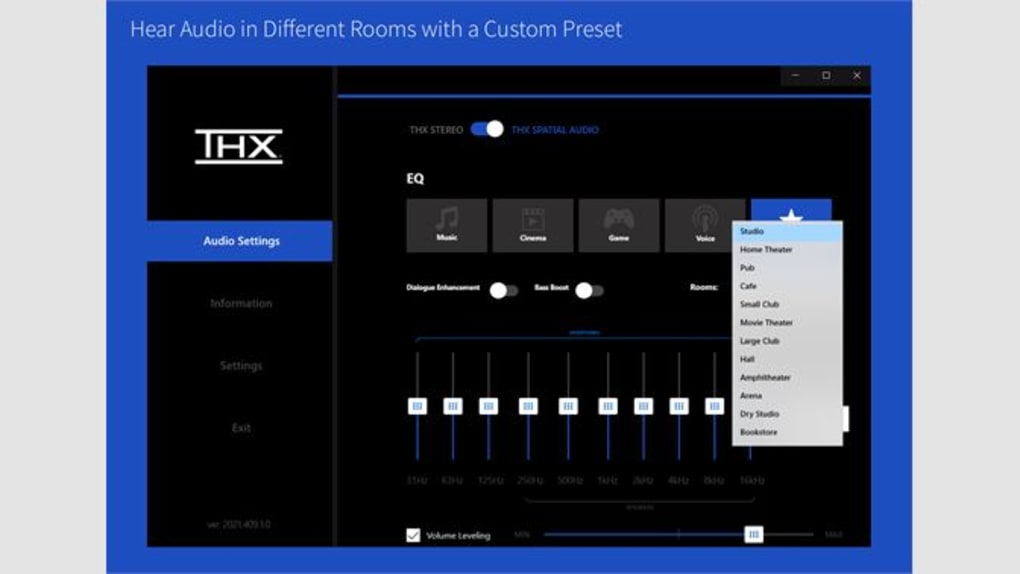
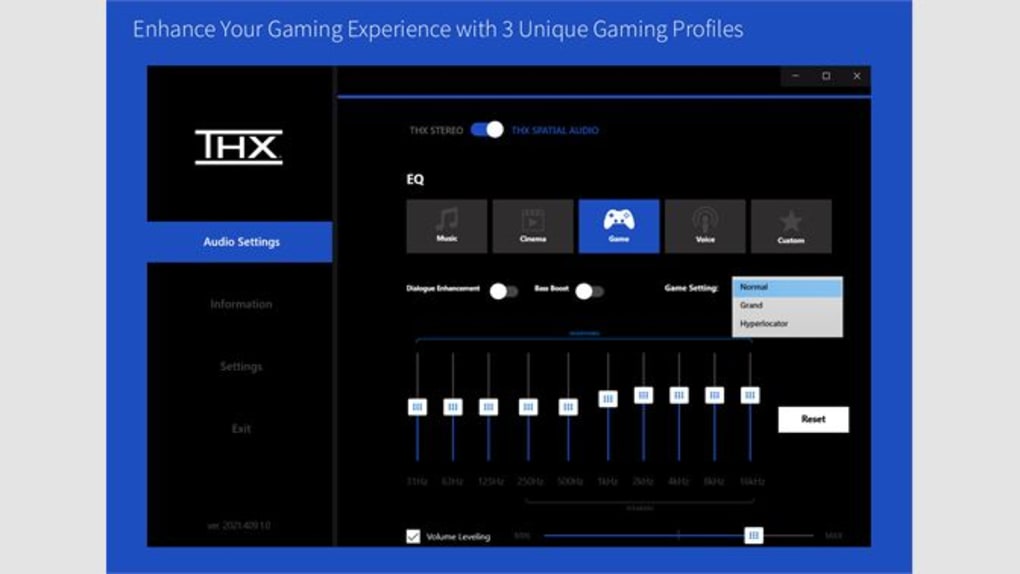
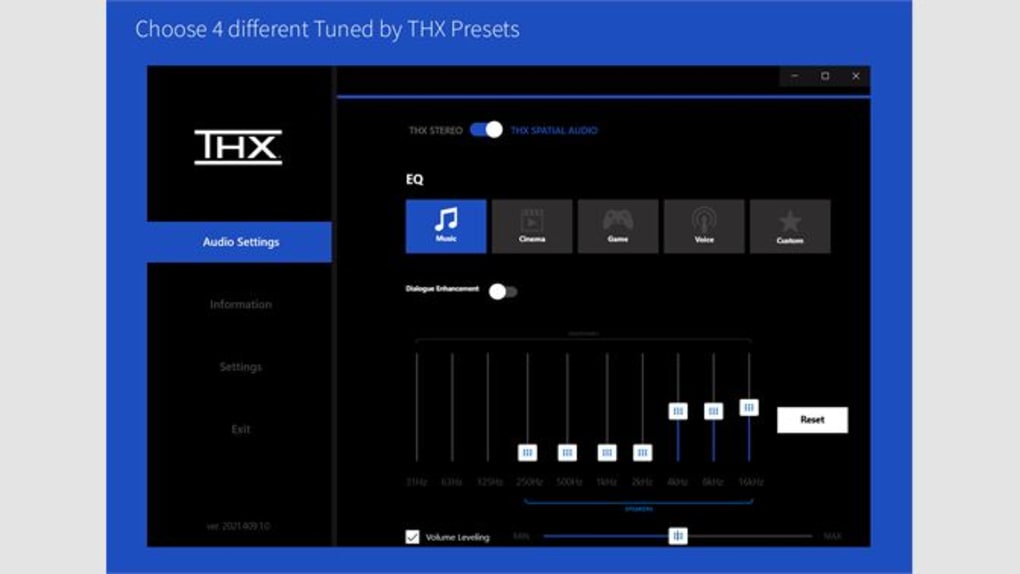
Equally impressive is the customizable EQ (equalizer) system. Users can select from preset profiles like Music, Gaming, Podcast, and Voice, or create their own personalized settings. Adjust bass, treble, and midrange levels to match your taste or the content you're consuming.
The calibration wizard guides you through a quick setup process, analyzing your headphones and room acoustics to fine-tune the output. This ensures that even if you're using budget headphones, you’ll still get a rich, balanced sound. The app also allows you to adjust speaker distance and positioning, which is especially useful for multi-speaker setups or when using headphones with spatial audio support.
Another major benefit is its cross-platform compatibility. Whether you're on a Windows PC, Mac, iOS device, or Android smartphone, you can enjoy consistent audio quality. The intuitive interface makes it easy to switch between modes and adjust settings on the fly. Plus, the app is regularly updated with bug fixes and new features, ensuring long-term performance and security. With a free download and no hidden costs, THX Spatial Audio Control offers exceptional value for anyone looking to improve their audio experience without upgrading hardware.
Seamless Installation and Easy-to-Use Interface Across All Devices
Getting started with THX Spatial Audio Control is straightforward and hassle-free, regardless of your operating system. For Windows users, the software can be downloaded directly from the Microsoft Store or the official THX website. The installer is lightweight and installs in seconds.
After installation, launch the app and follow the on-screen calibration wizard. This step is crucial—it analyzes your headphones and environment to optimize audio output. The entire process takes less than a minute and requires minimal user input.
On Mac systems, the app is available via the Mac App Store or the THX developer portal. Installation is similarly quick, and the app integrates smoothly with macOS audio settings. For iOS and Android users, the app is available on the Apple App Store and Google Play Store. Simply search for “THX Spatial Audio Control,” download, and sign in with your account. The mobile version includes touch-friendly controls and supports Bluetooth headphones, making it ideal for on-the-go listening.
The interface is clean, modern, and highly intuitive. Main controls are grouped into tabs: Audio Settings, Spatialization, EQ, and Calibration. Each tab includes sliders, dropdown menus, and real-time audio previews so you can hear changes instantly.
The app also includes a built-in demo video that walks you through all features—perfect for beginners. For troubleshooting, the app provides helpful error messages and links to support resources. If you encounter issues like audio lag or no sound, the app’s built-in diagnostics can identify problems such as outdated drivers or incorrect output device selection.
Regular updates ensure compatibility with new hardware and operating system releases. The developers prioritize user feedback, and many recent improvements came from community suggestions. Whether you're a first-time user or a seasoned audiophile, the learning curve is virtually nonexistent. With seamless setup and responsive design, THX Spatial Audio Control makes high-fidelity audio accessible to everyone.
Comprehensive Features, Pros, and Cons for Informed Decision-Making
THX Spatial Audio Control offers a robust set of features that cater to a wide range of users. Here’s a breakdown of what makes it stand out:
- Advanced Spatialization – Realistic 3D audio with head tracking and multiple modes.
- Customizable EQ Profiles – Tailor sound for music, gaming, voice, or movies.
- Automatic Calibration – Optimizes audio based on your headphones and environment.
- Cross-Platform Support – Works on Windows, Mac, iOS, and Android.
- Free to Download and Use – No subscription or hidden fees.
- Regular Updates – Bug fixes, performance improvements, and new features.
- Secure & Lightweight – Minimal system impact and trusted security protocols.
Pros:
- Delivers cinema-quality spatial audio on any headphones.
- Intuitive interface with real-time audio preview.
- Free and regularly updated with no ads.
- Supports both wired and Bluetooth headphones.
- Excellent for gaming, streaming, and podcast listening.
Cons:
- Some advanced features may require a higher-end headphone for full effect.
- Mobile version has fewer customization options than desktop.
- Head tracking may cause slight latency on older devices.
Frequently Asked Questions (FAQ)
Is THX Spatial Audio Control free to download?
Yes, THX Spatial Audio Control is completely free to download and use on Windows, Mac, iOS, and Android. There are no hidden costs or subscription fees.
Does it work with any brand of headphones?
Absolutely. The software is compatible with any brand of headphones, including budget models, as long as they support standard audio input.
Can I use it on my iPhone or Android phone?
Yes, the app is available on both the Apple App Store and Google Play Store for iOS and Android devices.
How do I fix audio issues in the app?
Try restarting your device, updating your operating system, reinstalling the app, or checking your audio output settings. The app also includes a built-in diagnostic tool.
Does it work with gaming consoles?
Currently, THX Spatial Audio Control is designed for PC, Mac, iOS, and Android. It does not support gaming consoles like PlayStation or Xbox directly.
Conclusion: Elevate Your Audio Experience with THX Spatial Audio Control
If you're looking for a powerful, free, and secure way to enhance your audio experience, THX Spatial Audio Control is an excellent choice. With its immersive spatialization, customizable EQ, and cross-platform compatibility, it transforms ordinary headphones into high-performance audio systems. Whether you're a gamer seeking a competitive edge, a movie buff craving cinematic realism, or a music lover wanting richer sound, this app delivers. The easy installation, intuitive interface, and regular updates make it accessible to all users, regardless of technical skill.
Download THX Spatial Audio Control today and unlock the full potential of your headphones. It’s a must-have audio tool that brings your favorite content to life—without the need for expensive hardware upgrades. Don’t miss out on the ultimate listening experience. Click here to download now and start enjoying spatial audio like never before.







